description: Read what your agent changed and commit it: git status in the navigator, changed lines in the gutter, side-by-side diffs in tabs, blame for the line under the cursor, staging and commits from the panel.
Git
Yara Code talks to the git CLI — no libgit2, no extra dependency. Everything below
works in both frontends.
The panel
Ctrl+Shift+G in both frontends opens the Git view in the sidebar:
- a repository picker (
Cmd+Alt+G/Ctrl+Alt+G) listing every repository found under the project; - a worktree picker (
Cmd+Alt+K/Ctrl+Alt+K); - the list of changed files, each with its porcelain letter —
M,A,D,R,U— colored from the theme's terminal palette.
The list is in two groups — STAGED CHANGES, what the next commit will hold, and CHANGES, what is only in the worktree — and a file edited both before and after staging appears in both.
The status is re-polled on a timer, whichever view is showing, so the navigator's tints and the gutter bars are always current.
Staging and committing
- The mark at the right end of a row moves the file: + into the index,
− back out. In the terminal frontend
sdoes the same for the selected row, andastages everything; the panel's last line says so. - With something staged, a commit message field and a Commit button
appear above the staged list in the window; in the terminal,
casks for the message. Enter commits. - What git answered —
staged src/main.rs,committed 3f2a1c0 Fix the thing, or the reason it refused — lands in the status bar.
There is no push, pull or branch switching: those are a shell command away, and the terminal panel is right there.
Diffs
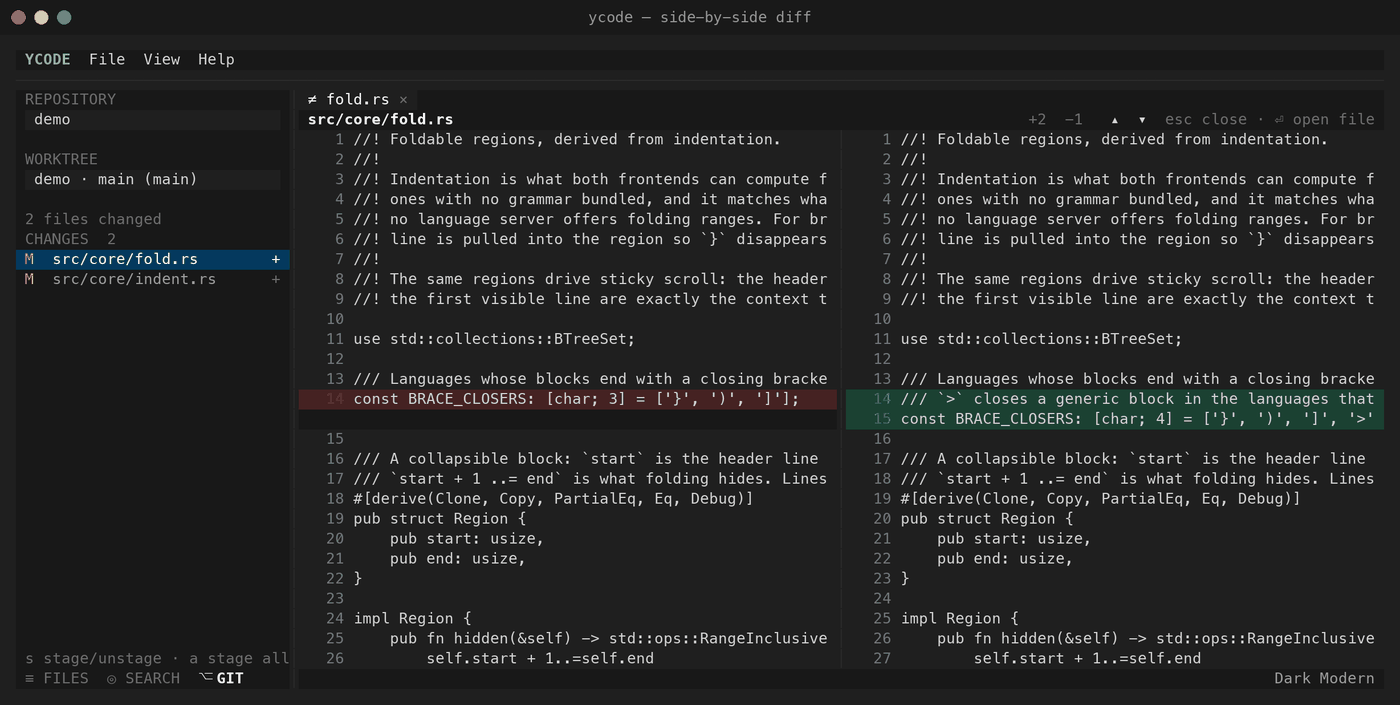
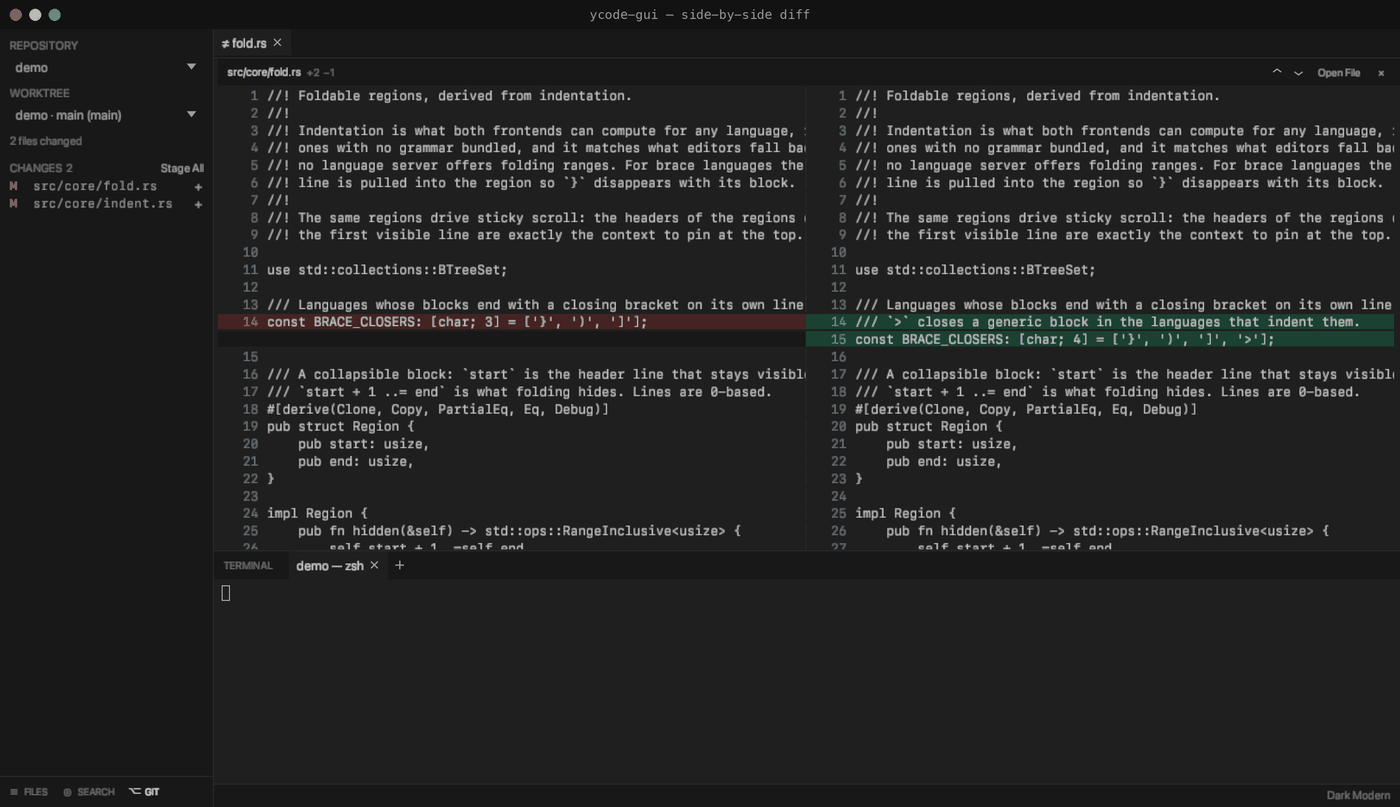
The seam between the two versions is a handle: drag it to give the old side or the new one more of the width. Each diff keeps its own, as a share of the pane, so a window resized around it keeps the proportion.
Clicking a changed file opens a side-by-side diff as a tab of its own, beside the open files: what the file was on the left, what it is now on the right, each side with its own line numbers and coloured by the file's grammar, the way the editor colours it.
- Replacements stand on one row — the old line facing the new one.
- Added lines leave the left half blank, removed lines the right half.
- Changed lines are washed in the theme's own red and green.
- Untracked files show as wholly added; deleted ones as wholly removed.
The header carries the path, +N −M, a pair of arrows, an Open File button
and a close mark. Reviewing a diff is going change to change: the arrows — and
↑ / ↓ in both frontends — jump to the next run of changed
lines rather than moving a line at a time, and land with the change in the
middle of the view so it is read with what is around it. A diff opens on its
first change the same way. Shift with an
arrow moves by one line, PageUp / PageDown by a screen and
Home / End to the ends, again in both. In the terminal
frontend Esc closes the diff and Enter opens the file it
is showing. A diff is a tab like any other: right-clicking it offers Close Tab
and Close All Tabs, and Close Tab closes whichever tab is in front rather
than the file behind it.
git itself does the diffing (git diff -U1000000), so what you see is what
git diff says.
Decorations
- Changed files are tinted in the navigator, and so are the folders above them — a collapsed tree still shows where the changes are.
- Changed lines carry a bar in the editor's gutter: green for added, yellow for modified, red where lines were removed.
- The status bar blames the line under the cursor — commit, author, how long
ago, the pull request its message names (
(#412)orMerge pull request #7), and the commit summary. A line you have not committed yet says so. - Hold Shift and rest the pointer on a line to blame that line
instead, without moving the caret to it — the same field, in both frontends.
Let go and it returns to the caret's line.
blame_modifiersin settings.json picks the modifier.