Search and the palette
Search the project
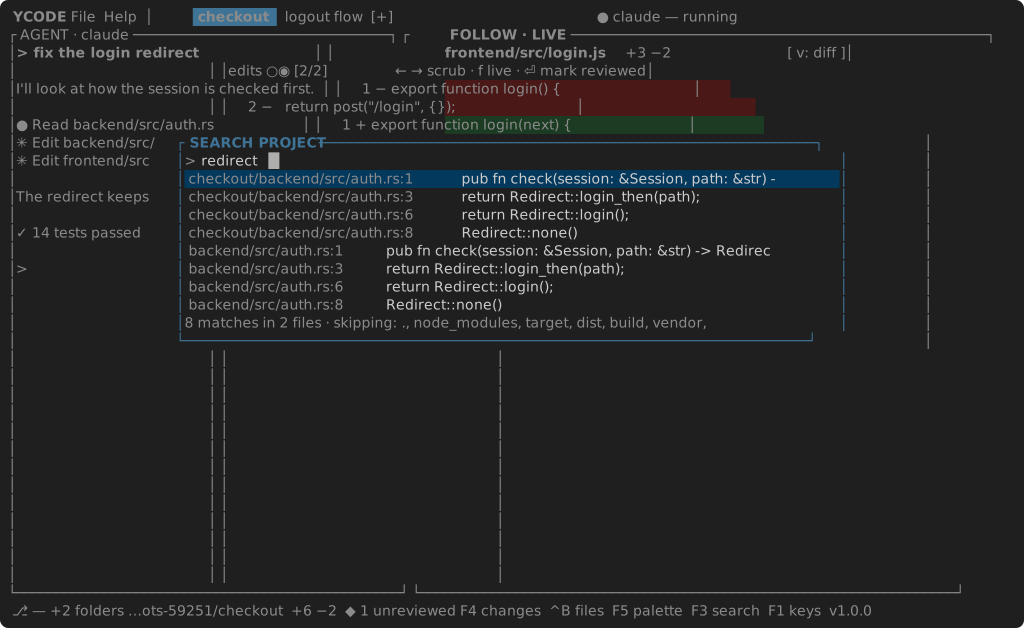
F3 opens SEARCH PROJECT. Type; every line containing the text, in every
folder of the workspace, is listed as path:line text — with the folder in
the path when there are several. The footer counts matches and files and names
what was skipped: ignore_folders — hidden folders, node_modules, target
and the like — plus whatever search_exclude adds, in VS Code's glob spelling.
Enter opens the hit with the caret on its line. Case does not matter; the
list stops at five hundred hits.
The palette
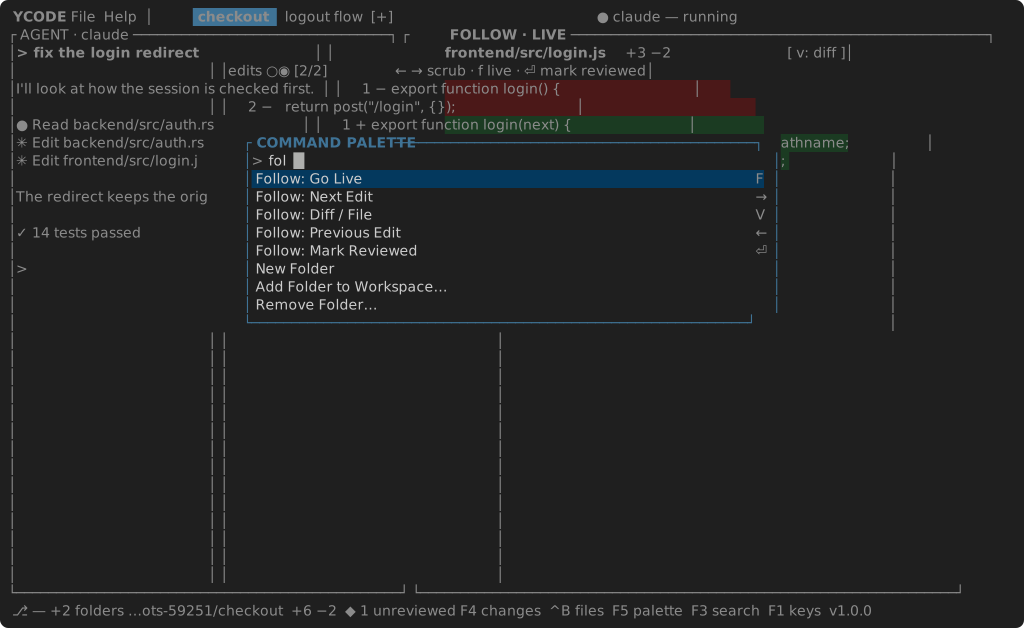
F5 opens the COMMAND PALETTE: every command with its chord on the right,
found by a few letters — tf for Toggle Files. Enter runs it. Commands
with no key of their own — moving the panes to the other side, the
documentation — live here and nowhere else.
The menus
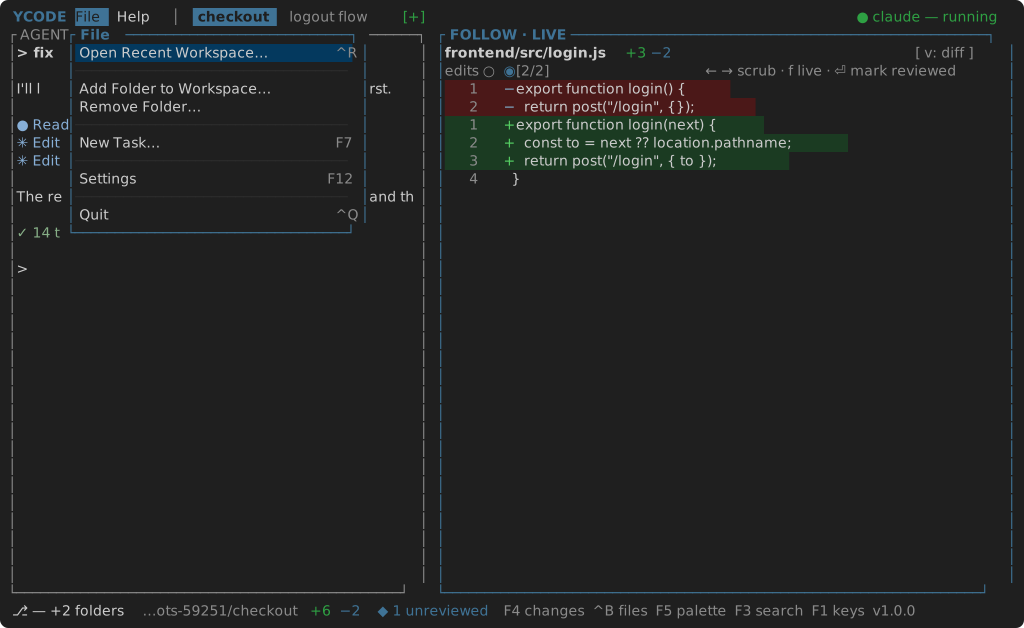
F10 drops the File menu under its word; Right moves to Help. File is the workspace's business: open a recent one, add a folder, take one out, start a task, open the settings, quit. A right click on a tab is the task's own menu, and a right click in the tree is the folder's.