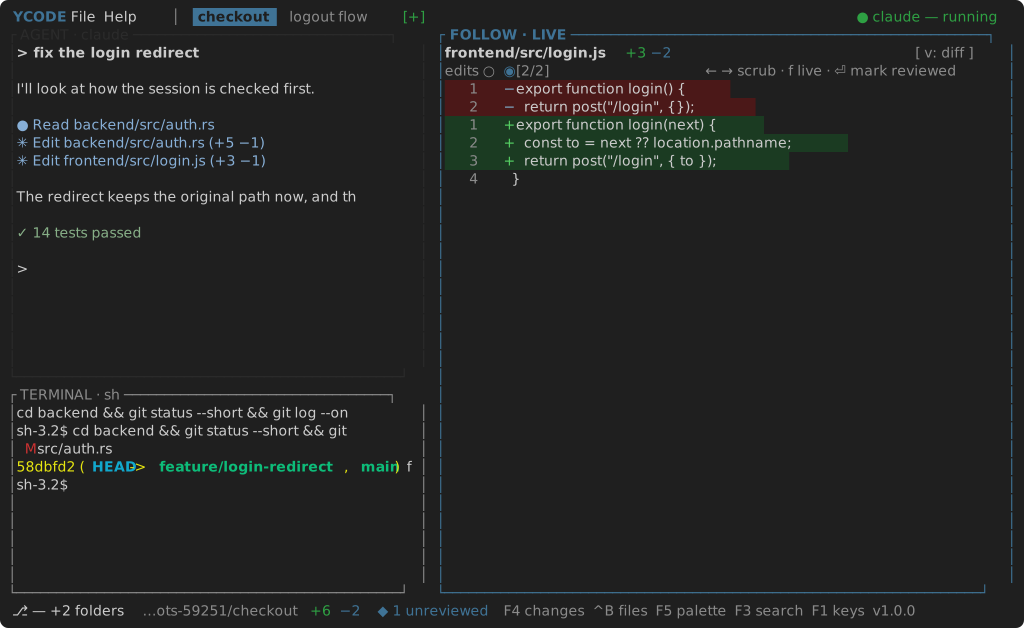
Terminal
Both frontends carry a real login shell on a pseudo-terminal, sharing one
core::pty implementation. Tab completion, Ctrl-C and full-screen programs
behave as they do outside Yara Code, with 5000 lines of scrollback (mouse wheel).
The frontends differ only in how they paint the grid.
Cmd+J / Ctrl+J toggles the panel. Cmd+Alt+T / Ctrl+Alt+T opens another
session; Cmd+Alt+W / Ctrl+Alt+W closes one.
Sessions
Sessions are tabs in the panel header, numbered until you name them:
- Right-click a tab to rename it (the window edits the name in place; the terminal frontend asks in a prompt). An empty name puts it back to its number.
- Drag a tab along the strip to reorder; the active session stays active wherever it lands.
The shell starts in the project's first folder. Changing the project restarts it there.
Keys in the panel
In the terminal frontend, while the panel has focus every key goes to the shell — only Toggle Terminal, New Terminal, Close Terminal and Quit stay reserved, so leave the panel with its toggle or by clicking another pane. In the window, the grid takes the keyboard when it has focus and gives ⌘-shortcuts back to the app.
Shift+Enter sends the escape a terminal set up for an agent sends —
ESC then Return — which is the newline an agent's prompt asks for rather than
the Return that submits it. In the terminal frontend this needs the kitty
keyboard protocol, which is what tells Shift+Enter from
Enter; see Key bindings.
This panel speaks that protocol itself. A program running in it — an agent, an
editor, ycode in the window's own terminal — asks what the terminal can tell
apart and is answered, and from then on its keys are spelled out in full:
Ctrl+Shift+V arrives as itself rather than as Ctrl+V
again, and Shift+Enter as itself rather than as an escape. What a
program asks for it gets back when it leaves, so the shell keeps its own.
Selecting, pasting and the wheel
Drag across the grid to select what the shell printed — in both frontends — and Cmd+C / Ctrl+C copies it. Taking the copy clears the highlight, so the next Ctrl+C is the shell's interrupt again. The pointer stays the panel's own even while a full-screen program is reading the wheel.
An address the shell printed — the pull request an agent just opened — is a link: in the window, hold Cmd (Ctrl elsewhere) and it is underlined under the pointer, and a click opens it in the browser, even when it wrapped onto the next row. In the terminal frontend that is the host terminal's job, which knows whether there is a browser on this side of the connection at all — over SSH there is not.
Cmd+V / Ctrl+V pastes into the shell. An image on the clipboard has nowhere to go in a grid of characters, so it is written to a file and the path is pasted instead — which is what a program running in the shell can actually open.
In the terminal frontend that is Ctrl+V's job, because Cmd+V never reaches the editor at all: on macOS the host terminal owns that key and pastes the clipboard's text itself, which for an image is nothing — iTerm2 3.6 offers its own dialog instead. Where the host does send an empty paste, the editor takes it as a paste of its own and finds the image.
The wheel walks the 5000 lines of scrollback, four rows a notch (scroll_speed in settings.json), unless the program in front asked
to hear about the mouse: a full-screen program keeps a transcript of its own, so
it is handed the notch and scrolls that instead.