The follow loop
The FOLLOW pane watches every folder of the task. Each half second
(refresh_ms) it looks for movement; every file whose text moved becomes an
edit on the timeline — the step the agent just took, not the whole
distance from main. A file put back the way it was is an edit too.
A folder that is a repository is asked of git, which is quick and knows what is committed. One that is not is read as it stands. Either way the edits land on the same timeline, each named by the folder it came from.
Live
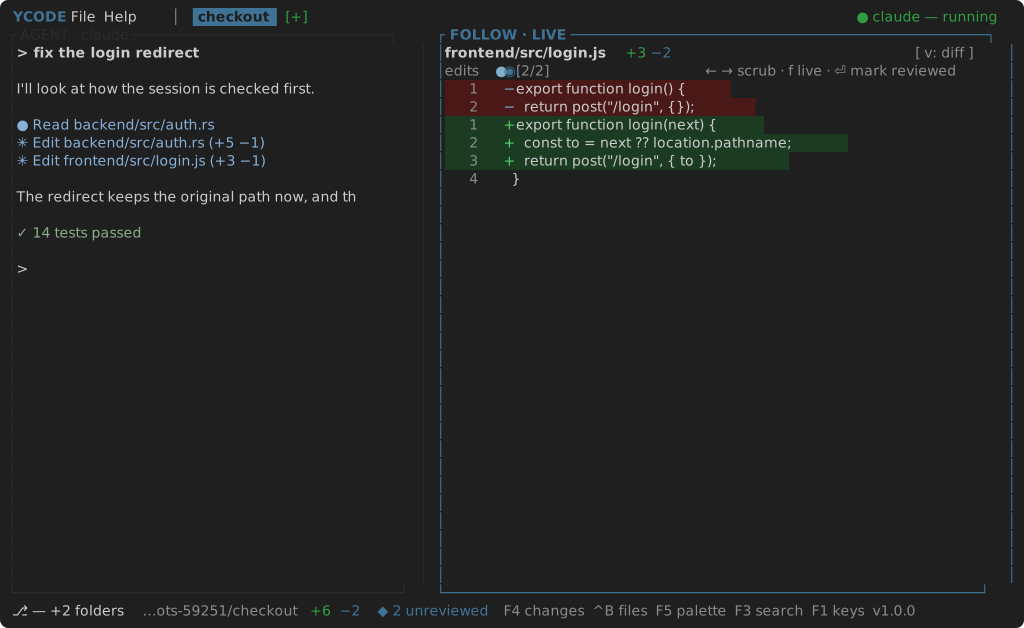
While the pane is LIVE its border is lit and it snaps to the newest edit
as it lands. The file row names the file with its +added −removed; the
timeline row draws one tick per edit: ◉ the current one, ● unreviewed,
○ reviewed. Past timeline_ticks (twelve) the strip windows around the
current edit with ‥ at the ends.
Paused
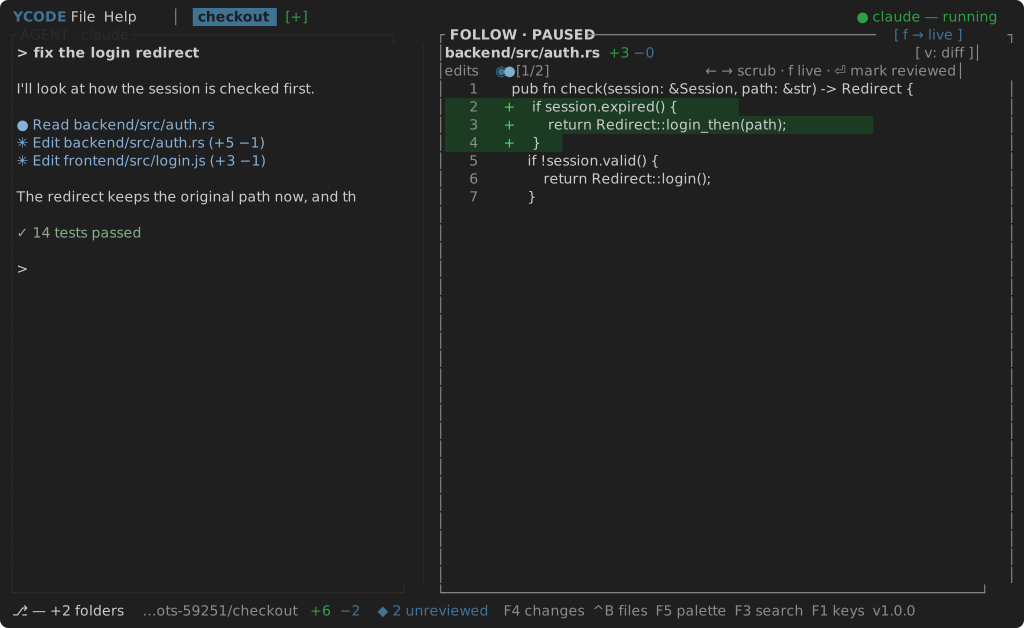
Left and Right scrub through the edits and pause the pane — the title
says PAUSED and offers [ f → live ]. New edits still join the timeline;
the pane stays where you put it. F, or stepping onto the newest edit, goes
live again. Clicking a tick jumps to it.
Reviewing
Enter marks the current edit reviewed and moves to the oldest edit that is
not; when none remain the pane goes live. The status bar shows
◆ N unreviewed, and clicking it jumps to the next unreviewed edit; once
everything is reviewed it reads ✓ all reviewed.
Diff and file
The body is the unified diff of the edit: gutter, line number, + or −, the
line, added rows on a green ground and removed rows on a red one. V
toggles to the file as it stands now, with a bar beside every line this
edit added.
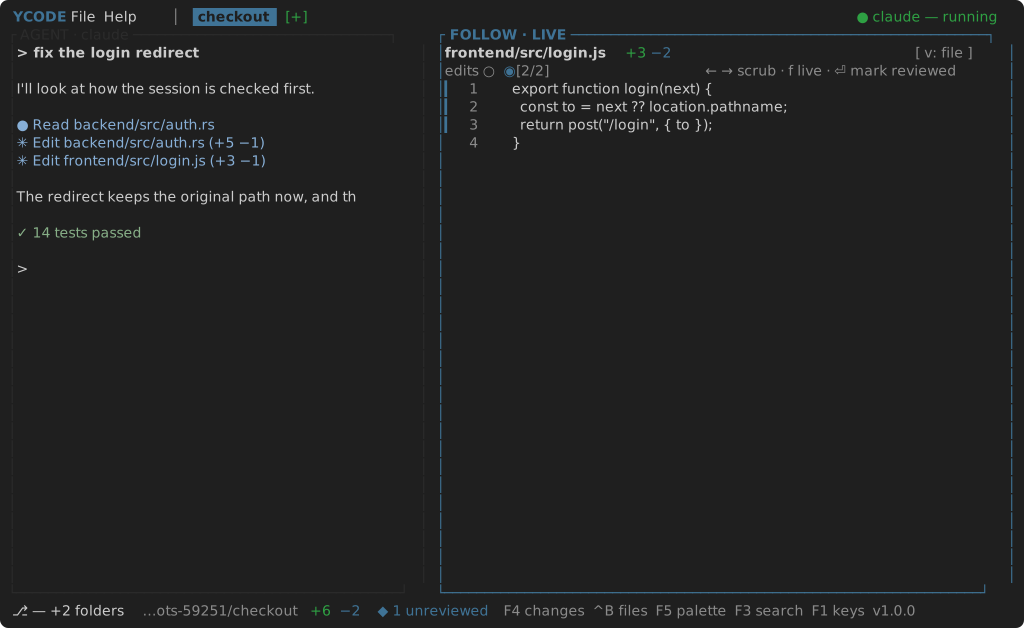
The wheel scrolls either; any follow key puts it back at the top.
CHANGES
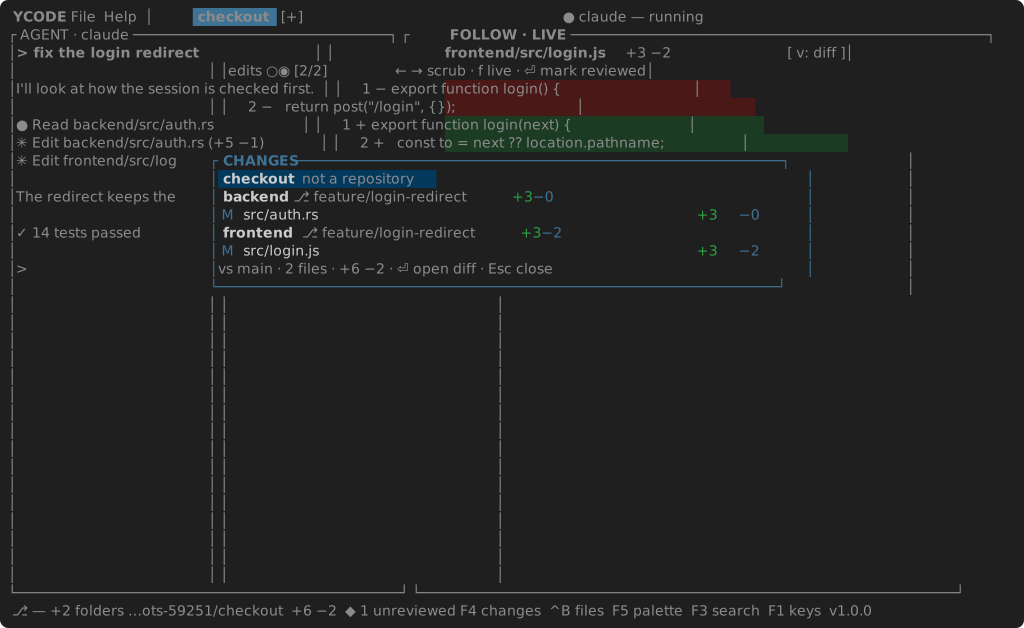
F4 opens CHANGES: what the branch differs from main by, one row a file —
A added, M modified, D deleted, U untracked — with its counts, and a
heading for each folder that is a repository. The totals are in the footer.
Enter on a row opens that file's whole diff in the follow pane
(FOLLOW · CHANGES); Esc returns to the timeline.
main is the branch the repository's main working copy has checked out,
unless base_branch in settings names another. In a worktree the base is the
merge base with it, so a branch that has already committed still shows
everything it did.